


[With video] How Can I Transfer My Game Data?
If you prefer the video version, please click HERE.
If you prefer the text version, please click HERE.
You can transfer your game data to a new device by issuing a transfer code in your old device.Register "Transfer" on your old device.
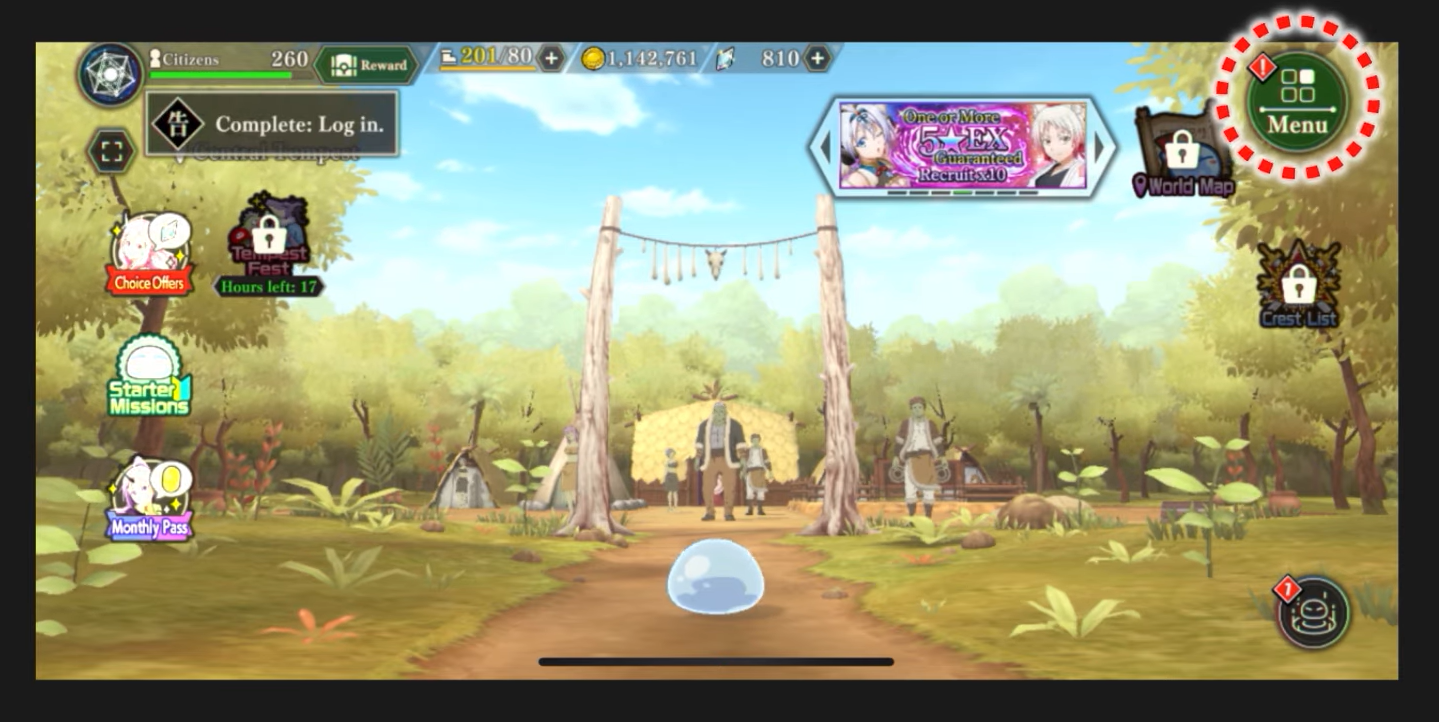
1,Tap ”MENU” on the home screen.
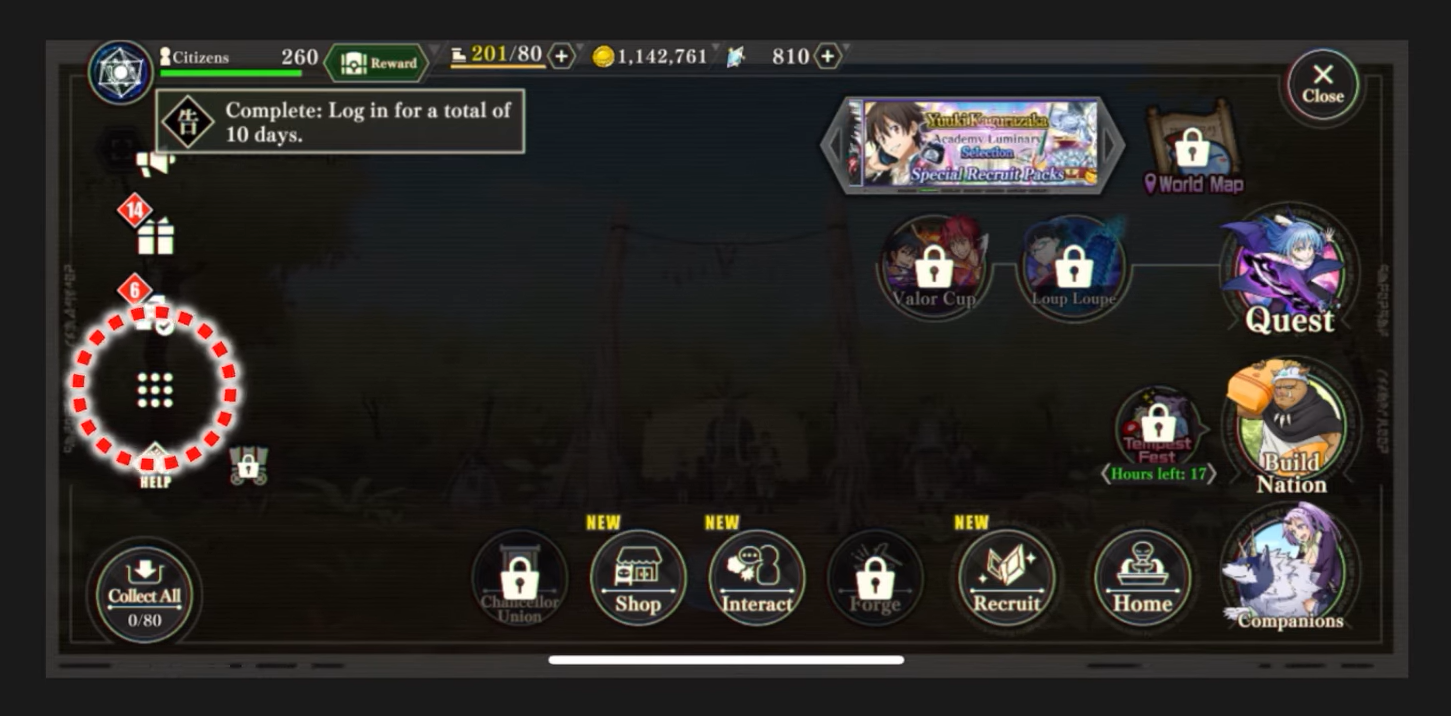
2,Tap the icon with nine small squares on the left side of the screen.
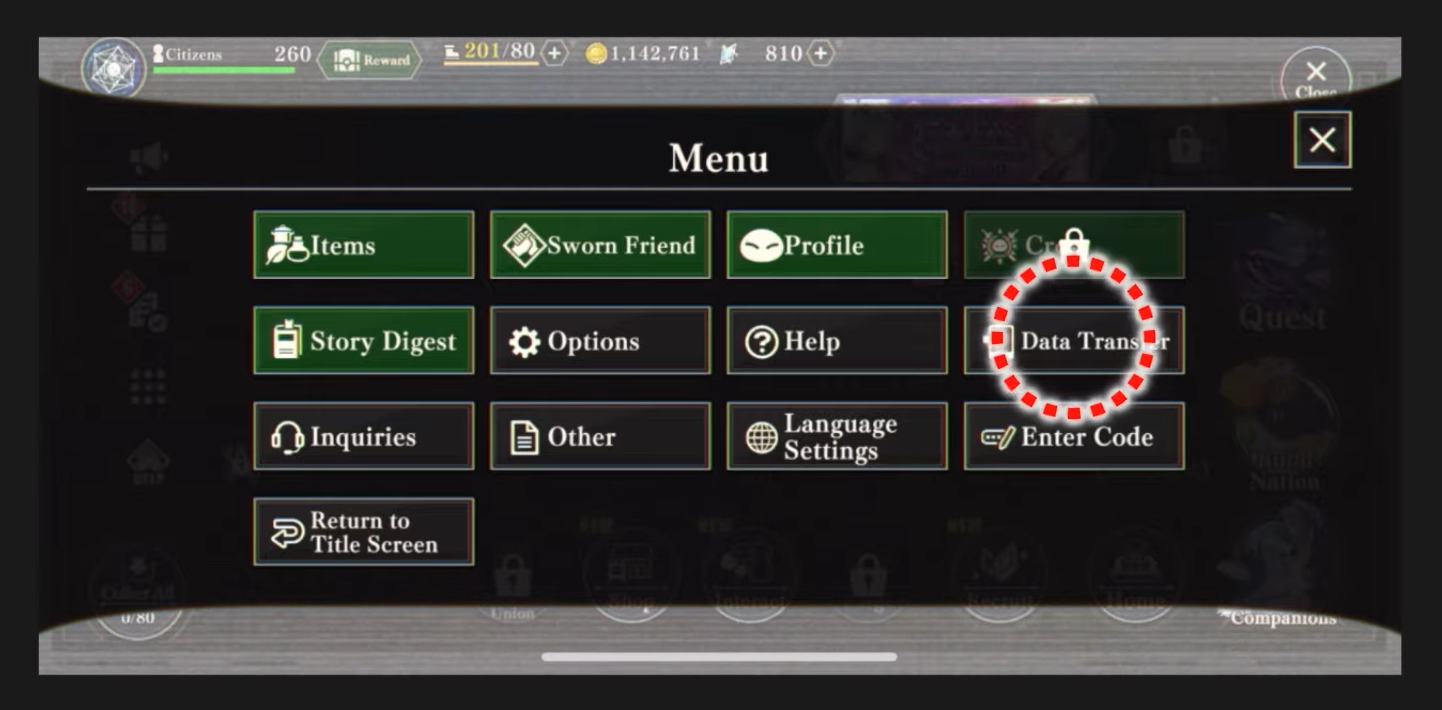
3,Tap "Data Transfer".
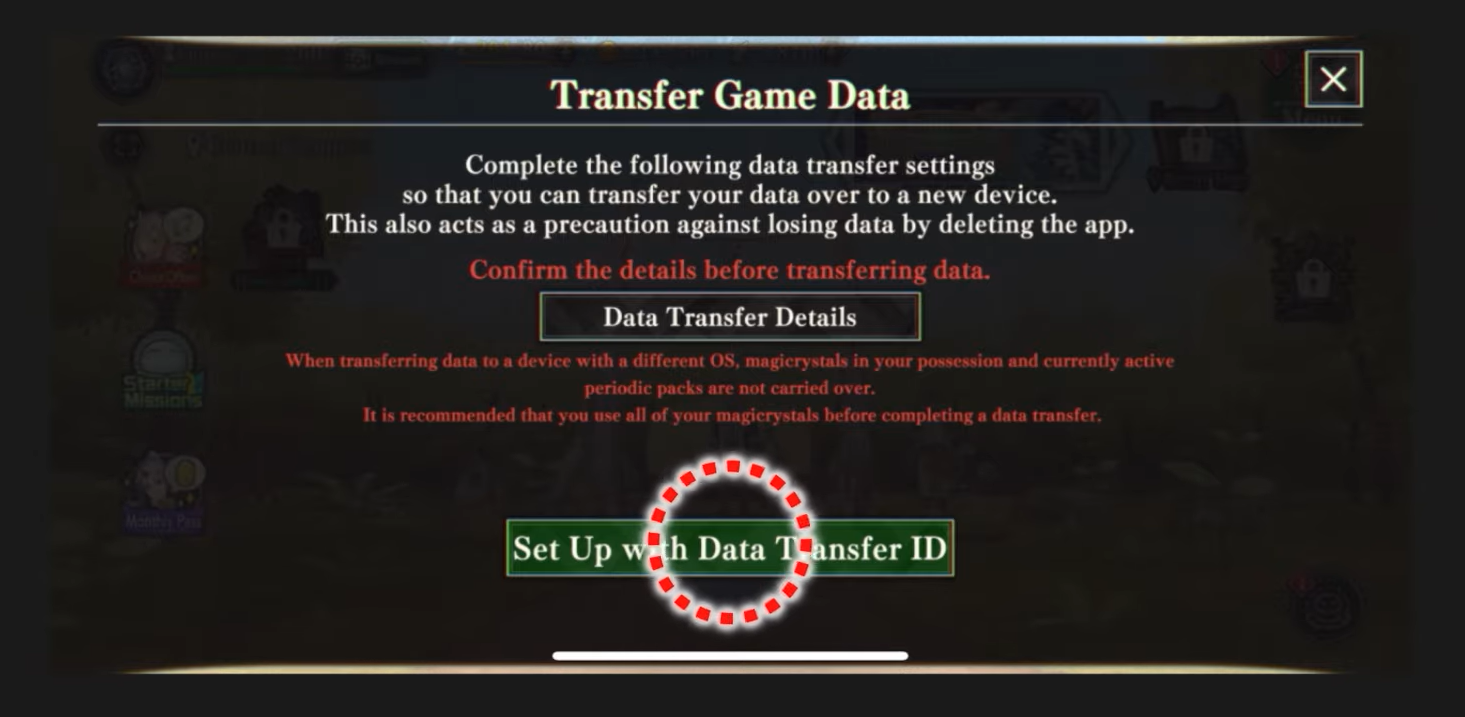
4,Tap "Set Up with Data Transfer ID".
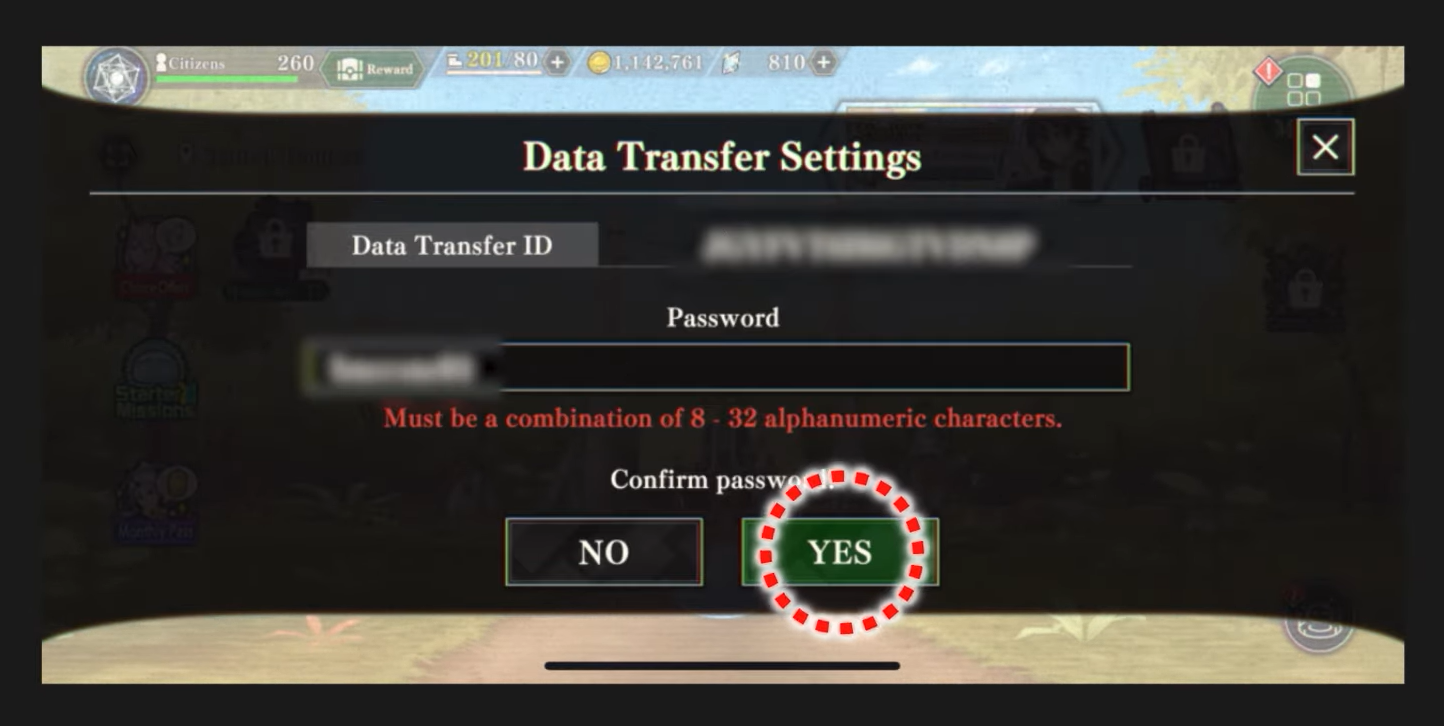
5,Please enter your password and tap "YES".
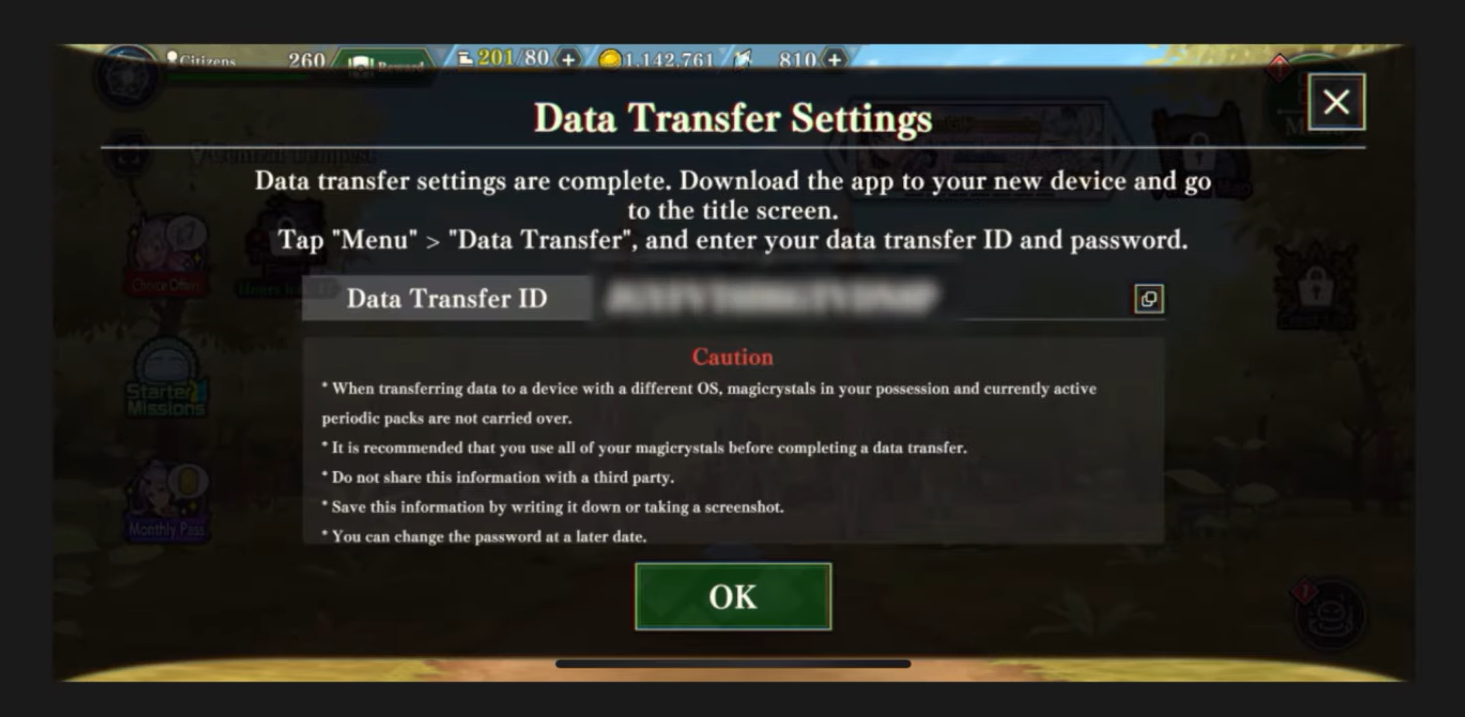
6,The setup is complete.
・There is NO SNS transfer function for this game application.
・You cannot save more than one "SLIME - ISEKAI Memories" game data on a single device.
Inquiries
If you can not find possible solutions from FAQ, please send your inquiry from below.
Comments・Requests・Support Messages
Please send your messages regarding our network contents via the following form. We will forward them to the relevant department.
We do not provide individual replies, but your messages will be passed on to the appropriate department.